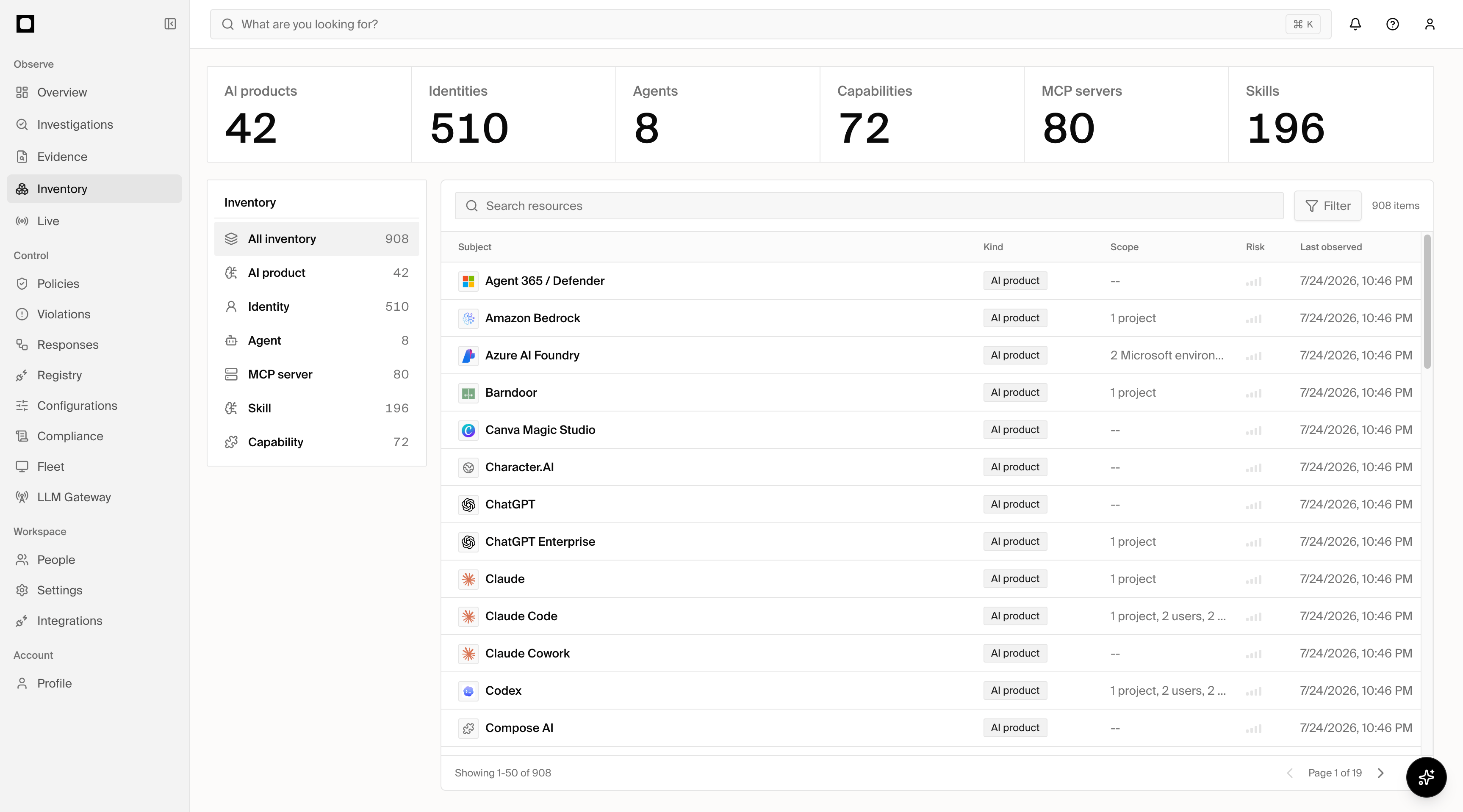
Forge inventory showing AI products, identities, agents, capabilities, MCP servers, and skills

Inventory

Inventory is the system of record for your organization’s AI estate. Forge connects data from SaaS applications, cloud platforms, endpoints, networks, and code repositories to build one comprehensive view of the AI used across the company. Use Inventory to understand both the organization at large and each person’s individual AI setup.

What it includes

Inventory brings together:
  • AI products used across the organization, including SaaS applications, coding tools, model platforms, and other AI-enabled software.
  • Agents and workloads running on endpoints, in cloud environments, and through connected applications.
  • Identities using those products, agents, and workloads.
  • MCP servers and skills available to users and agents.
  • Capabilities exposed by connected agents and tools.
  • AI-native artifacts such as plugins, memories, hooks, configuration files, and other runtime or development assets when supported by the source.
Forge reconciles observations from multiple sources into shared inventory records so the same product, agent, identity, or asset is not understood in isolation.

Connected sources

The combined view is more complete than any individual integration: cloud and SaaS sources describe managed services, while endpoint, network, and repository sources help reveal local, custom, and otherwise unmanaged AI.

Collection and refresh

Where supported, Forge starts an initial collection automatically after you configure a source or import its endpoints. Connected sources are then refreshed on a schedule so Inventory stays current without requiring manual scans. For large endpoint fleets, collection progresses across the full fleet over time rather than silently skipping devices. Each source shows when it last refreshed and whether the current collection is complete, still in progress, partial, or unsuccessful. Existing results remain available while Forge works through the remaining coverage. Fresh observations take precedence over older records without erasing their history. Forge reconciles identities and devices seen through sources such as Microsoft Entra ID, Intune, Jamf Pro, CrowdStrike, SentinelOne, network integrations, and Forge for devices into a current view, while preserving the sources behind each record.

Explore your estate

The Inventory summary shows the number of AI products, identities, agents, capabilities, MCP servers, and skills Forge has discovered. Select a kind or search across all inventory to narrow the estate. Open an inventory record to review:
  • Where and when Forge observed it.
  • The identities that use or interact with it.
  • Related products, agents, workloads, and AI-native assets.
  • Detected configurations and source-specific details.
  • Risk factors associated with the record or its setup.

MCP and skill risk

MCP server and skill records can include a risk tier, summary, affected tools or package content, supporting evidence, and recommended next steps. When observed, Forge also shows referenced URLs and package names or versions so a reviewer can understand the dependencies and destinations involved. Inventory shows risk in the context of the asset and the identities using it. Registry requests show the same available risk information at the approval decision. Findings attributed directly to one MCP server, tool, or skill stay with that record; risks that depend on a combination of assets live in Investigations. Related records link to one another so reviewers can move from discovery to approval and investigation without recreating the context.

Identity setups

Inventory connects identities to the AI they use. Open an identity to understand that person’s unique environment, including their products, agents, MCP servers, skills, plugins, memories, hooks, and configurations where available. This makes it possible to compare the organization-wide estate with the actual setup of an individual user without treating every source as a separate silo.

Shadow AI

Inventory highlights AI products and assets that are unmanaged, unapproved, or outside the organization’s expected setup. This includes obvious shadow AI, such as an unapproved application, as well as less visible artifacts such as a local MCP server, plugin, hook, or agent configuration. Review the affected identities and detected configuration to understand the exposure. From there, move usage to an approved option, bring the asset under management, restrict it with a supported control, or remove it from the environment.