

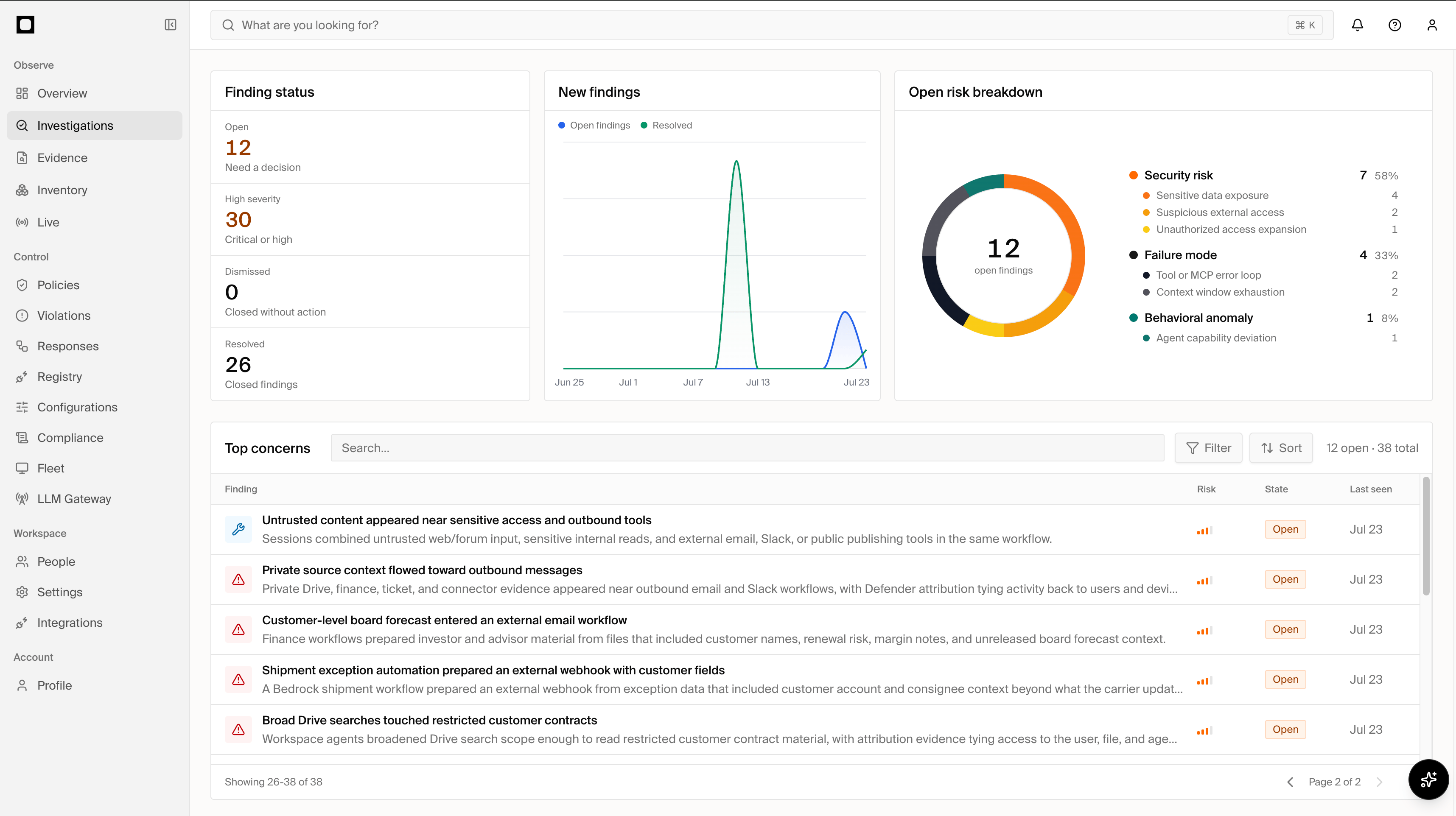
Investigations
What gets investigated
Forge evaluates individual signals in the context of the wider AI estate and opens an investigation when a risk warrants human review. Examples include:- Sensitive data or credentials exposed to an unintended destination.
- Agent tools with excessive, destructive, or unexpected capabilities.
- Prompt injection, tool poisoning, or unsafe handling of untrusted content.
- Risky MCP servers, skills, plugins, or dependencies.
- Unexpected privilege expansion or attempts to bypass established controls.
- Multiple otherwise ordinary capabilities that combine into a high-risk path.
Find what matters
Filter investigations by status, severity, affected identity, asset, or time period, then search within the results. Forge paginates large result sets so you can work through the complete matching set without losing your filters. Policy violations record individual enforcement events. Investigations connect related findings, affected assets, identities, and evidence into the security issue your team reviews and resolves.Investigation details
Open an investigation to review:- The risk level, summary, and why the issue matters.
- The identities, agents, sessions, tools, and AI assets involved.
- Supporting evidence and related activity.
- The affected inventory and its detected configuration.
- Recommended actions available for the specific risk.
- The investigation’s status and decision history.
Respond
Available actions depend on the affected asset and the controls connected to Forge. From an investigation, you may be able to:- Stop affected sessions.
- Restrict access to a risky MCP server, skill, or tool.
- Block, disable, or remove an affected asset.
- Review a prefilled policy or access control before applying it.
- Open the affected asset in Inventory for its complete context.
Close the loop
After reviewing the evidence and taking any necessary action:- Mark the investigation as Resolved when the risk has been addressed.
- Mark it as Dismissed when it is a false positive, accepted risk, out of scope, or duplicate. The reason is retained in the investigation history.
- Reopen a resolved investigation if new evidence changes the assessment.